MAC Addresses / What
A MAC address, also called a physical address or hardware address, consists of 6 octets and is always written in hexadecimal form.
Example:
08:00:27:be:83:95
A MAC address is made up of two parts:
- The first 3 octets identify the manufacturer; this is called the vendor ID or OUI (Organizationally Unique Identifier).
- The last 3 octets form a serial number assigned by that manufacturer/vendor/organization.
Just like with a date of birth or a national registry number, you cannot determine the physical location of a network card from its MAC address. That information lives one layer higher — in the Internet or network layer — in the IP address.
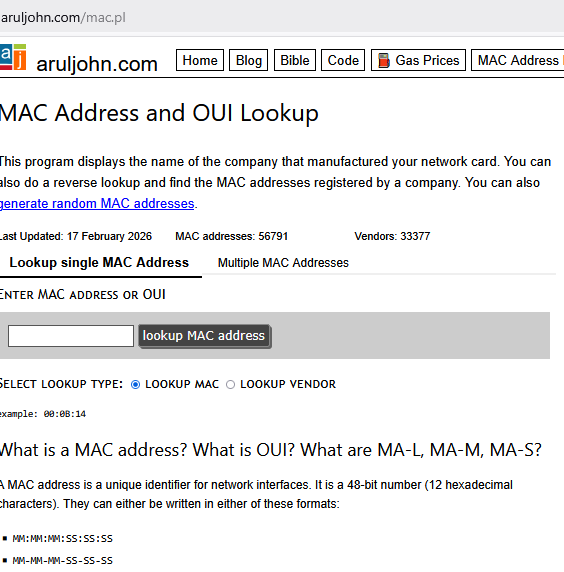
To find the manufacturer of a network card, several useful websites exist that look up and decode the first three octets of a MAC address.
One such site is: Arul’s Utilities
site: https://aruljohn.com/mac.pl
Finding your MAC address
This is found from the command prompt. (in the print-screen look at the third last line)
Windows Command Prompt: — ipconfig /all
C:\Windows\system32> ipconfig /all
Windows IP Configuration

Host Name . . . . . . . . . . . . : win10-5ktwb22
Primary Dns Suffix  . . . . . . . :
Node Type . . . . . . . . . . . . : Hybrid
IP Routing Enabled. . . . . . . . : No
WINS Proxy Enabled. . . . . . . . : No
DNS Suffix Search List. . . . . . : berchem.local

Ethernet adapter Local Area Connection 2:

Connection-specific DNS Suffix  . : berchem.local
Description . . . . . . . . . . . : Intel(R) PRO/1000 MT Desktop Adapter
Physical Address. . . . . . . . . : 08-00-27-94-CD-ED
DHCP Enabled. . . . . . . . . . . : Yes
Autoconfiguration Enabled . . . . : Yes
In the second block of text, 2 lines below berchem.local, we see:
...
Physical Address. . . . . . . . . : 08-00-27-94-CD-ED
...
Linux shell — ip addr
for the not so faint of heart using linux, we can see the MAC address as follows:
user@M17 ~ $ ip addr

2: eth0: <BROADCAST,MULTICAST,UP,LOWER_UP> mtu 1500
    link/ether 08:00:27:94:cd:ed
    brd ff:ff:ff:ff:ff:ff
    inet 10.0.2.15/24 brd 10.0.2.255 scope global eth0
Linux shell — ifconfig
user@M17 ~ $ ifconfig

eth0  Link encap:Ethernet  HWaddr 08:00:27:94:cd:ed
      inet addr:192.168.1.1  Bcast:192.168.1.255  Mask:255.255.255.0
      UP BROADCAST RUNNING MULTICAST  MTU:1500  Metric:1
      RX packets:39798815 errors:0 dropped:0 overruns:0 frame:0
      TX packets:21366437 errors:0 dropped:0 overruns:0 carrier:0
      collisions:0 txqueuelen:1000
      RX bytes:45231213190 (45.2 GB)  TX bytes:2824498615 (2.8 GB)
      Interrupt:17 Memory:f04c0000-f04e0000
The MAC address appears at the end of the first line, after HWaddr.
Exercise
- Find your own MAC-address(es).
- Then look up the manufacturer of the card on a MAC-lookup website
https://aruljohn.com/mac.pl - Display your ARP table (on the windows command prompt type:
C:\> arp -aand look up some MAC-addresses from that table.
- In Packet Tracer (if available), inspect some MAC-addresses and look those up as well.