Topology
Star topology
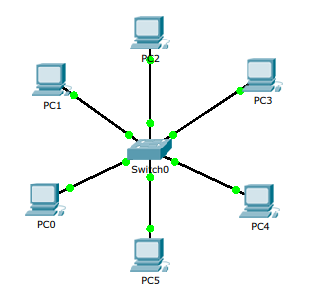
A star network is a computer network in which every computer is individually connected to a central point and therefore has its own dedicated connection. A star network has a star topology, a network topology that can be represented in the shape of a star. This setup is most commonly used for simple computer networks.
Within this network, all participants are equal. Communication between the different computers always passes through the fixed central point. This is usually a switch; earlier (before 2000) it was a hub. Each connected computer needs one cable, usually a CAT5E or CAT6A twisted‑pair cable. Advantages of a star topology include the fact that a local problem or cable break does not affect the rest of the network.
Distributed-star topology (tree topology)
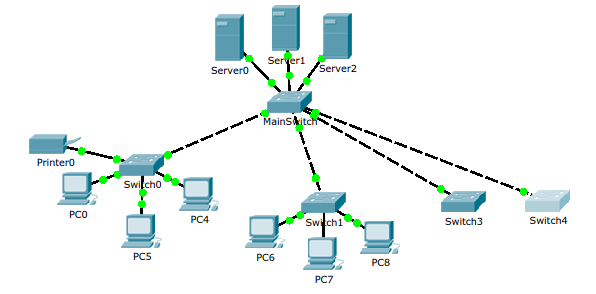
(Sometimes also called tree topology)
This network topology consists of interconnected stars, usually with a hierarchy of switches. Cisco refers to an access layer at the level of user devices, a distribution layer above that—dividing departments, floors, or buildings—and a core layer at the highest level.
In the example above, there are only two layers.
Below is a diagram of Cisco’s functional layering:
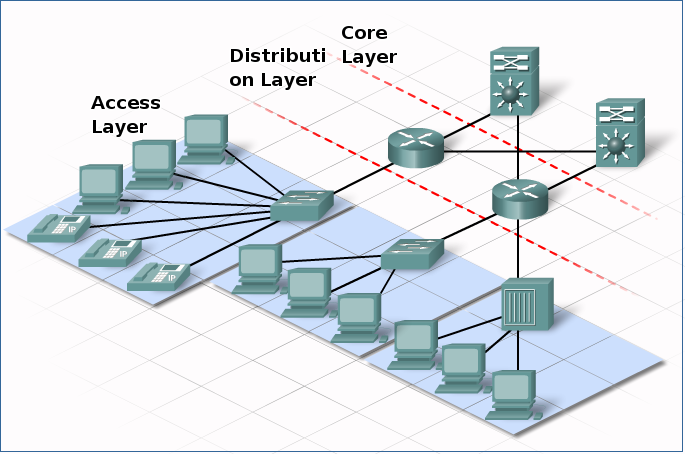
core – distribution – access layer
Mesh topology
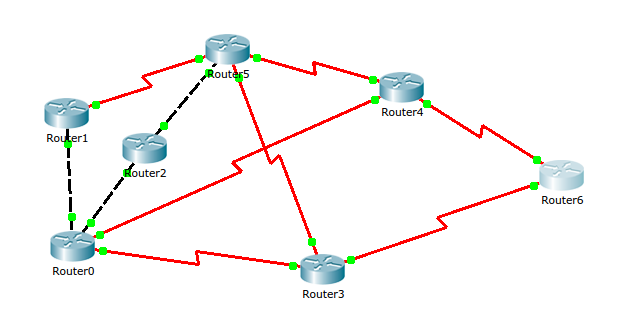
In Wide Area Networking, point‑to‑point connections between two routers are often used. The resulting web of connections is called a mesh topology.
Bus topology
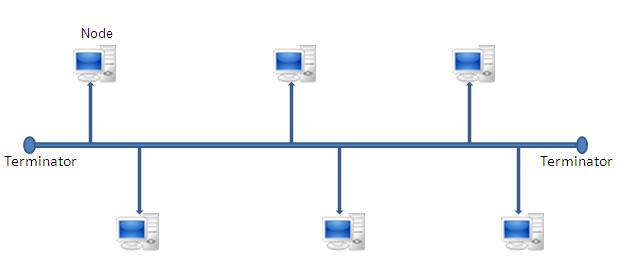
The bus topology was the historical topology of Ethernet over coaxial cable—first 10Base5 and later 10Base2.
The consumer-level internet over cable (e.g., Telenet) is also a bus topology over coax.
Each network card is connected via a single cable. Every computer or server is connected to this “bus.” A signal from a source travels in both directions to all computers connected to the bus line until it reaches the intended recipient. If a machine’s MAC address does not match the destination MAC address in the Ethernet frame, the machine ignores the data. If the address does match, the data is accepted.
Disadvantages:
– A cable break renders the entire network unusable.
– Expanding the network is not simple (the coax must be pulled in a loop to the new connection points).
– Coax is more expensive than twisted pair.
Ring topology
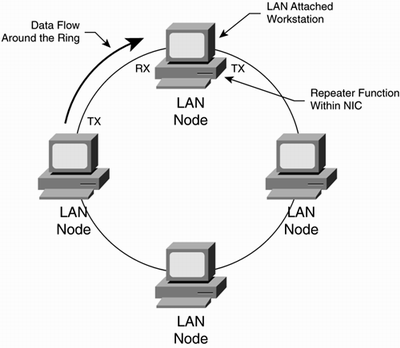
The historical topology of IBM’s Token Ring and FDDI (Fiber Distributed Data Interface). In Token Ring, data is forwarded from one station to the next station in the ring. Physically, IBM’s Token Ring is actually a star network with hubs that connect end stations to the ring via a send and receive channel.
A token frame constantly circulates in the ring. Each station repeats the token frame and forwards it to the next station. Token frames regulate access control to the ring. A station that wants to transmit data must first receive and take the token before it can send. It then sets the token to “busy” and transmits its data. The destination sets the token back to “free.”
Documenting a network
When documenting a network, you actually need two diagrams:
1. The logical topology
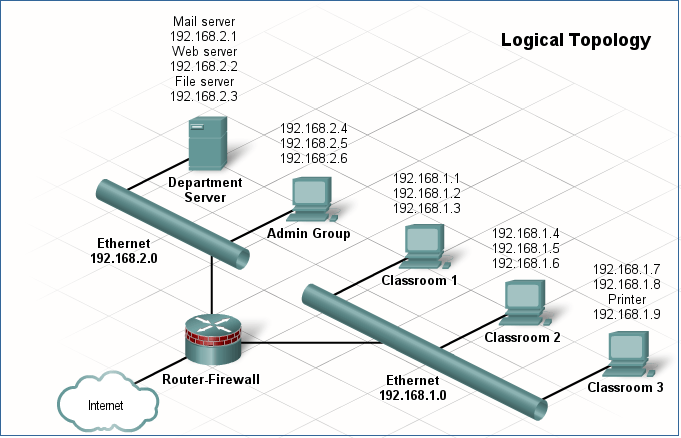
The logical topology allows you to quickly see how a network is structured hierarchically (the topologies described above).
2. The physical topology
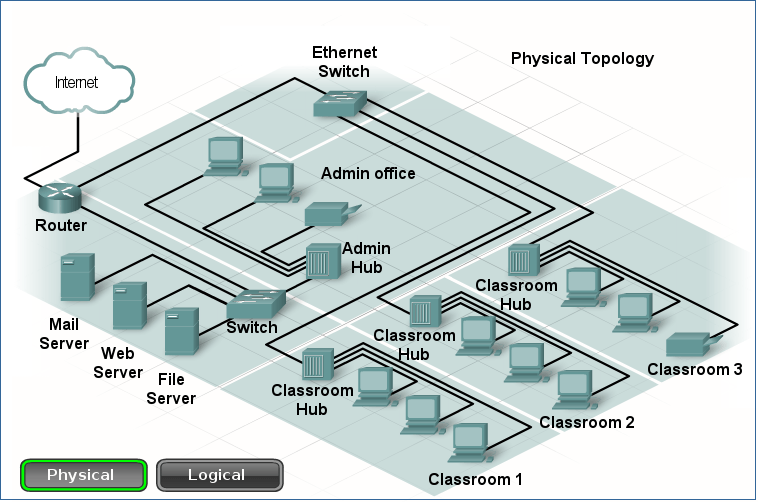
The physical topology allows you to quickly locate the cabling and network devices.